ADB Captain: On-Device ADB Tool
ADB Captain is a development tool by eatenlamp that runs ADB commands on your phone without root or a PC, using Shizuku.
Download ADB Captain · v1.6ADB Captain is a free, open-source app that lets you run ADB commands directly on your Android device via Shizuku, eliminating the need for a computer or root. It targets developers and power users who want to debug, inspect apps, and manage processes on the go. The app requires Android 7.0 or higher and has a download size of 28 MB.
- Version
- 1.6
- Size
- 28 MB
- Requires Android
- 7.0
- Updated
- Oct 22, 2026
- Category
- Tools
- Developer
- eatenlamp
- Package
- adb.captain
- Free
- ✓
App screenshots
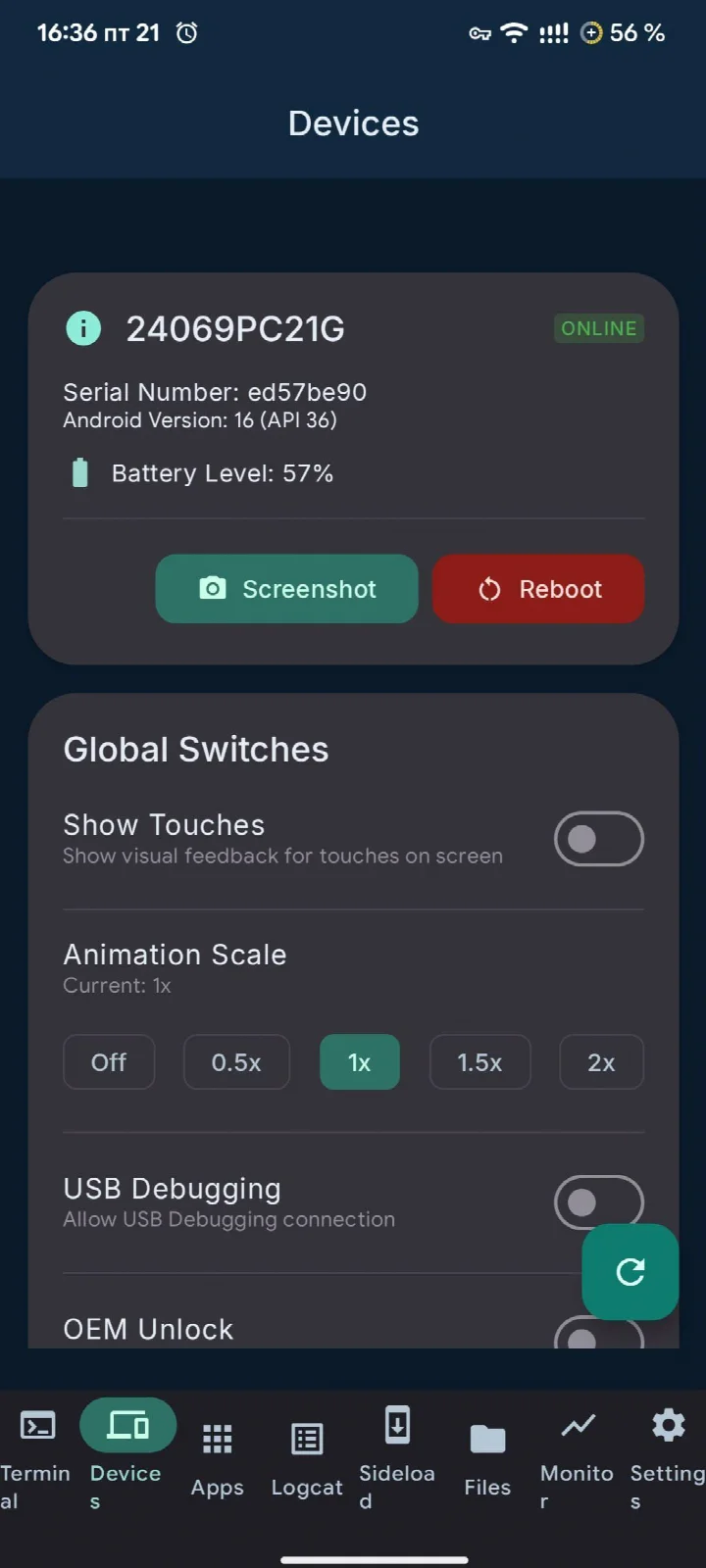
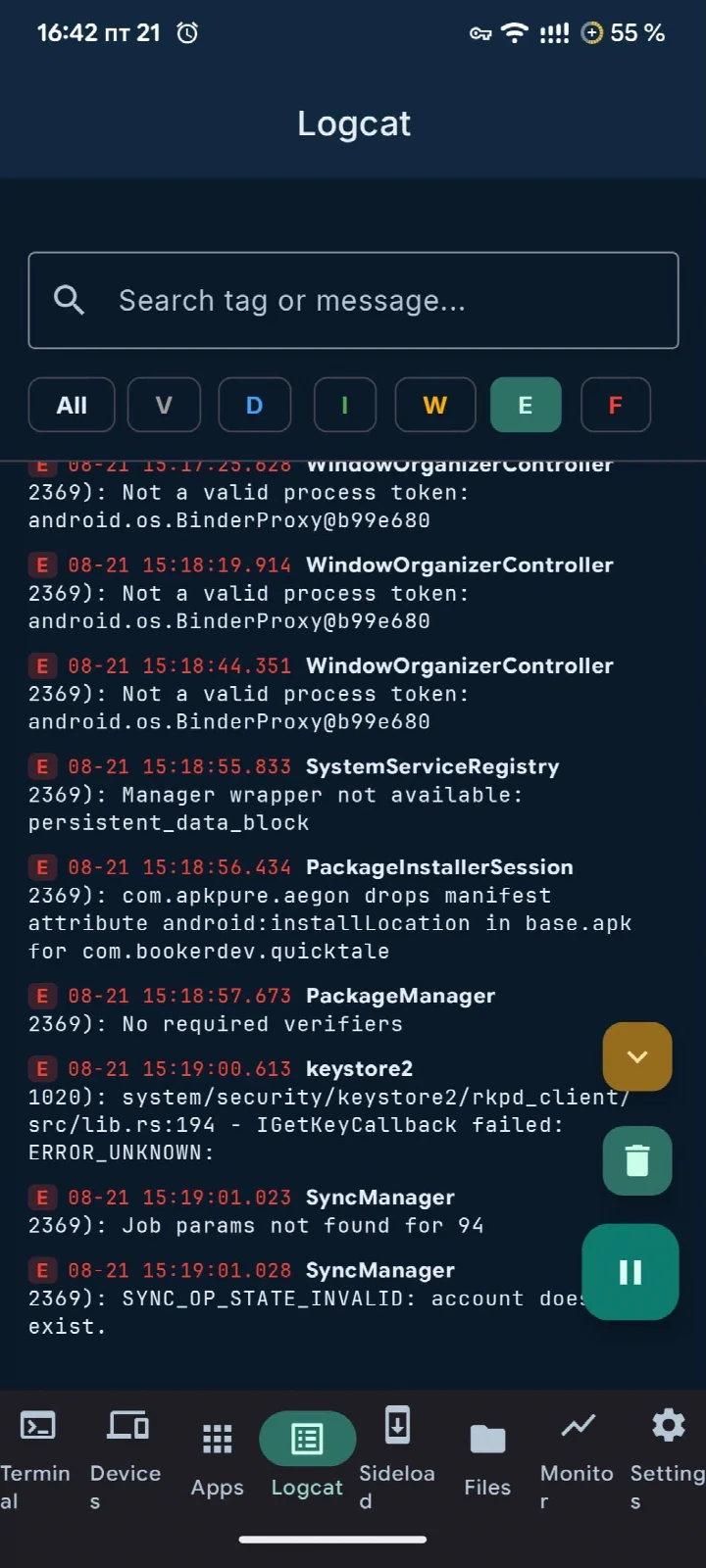
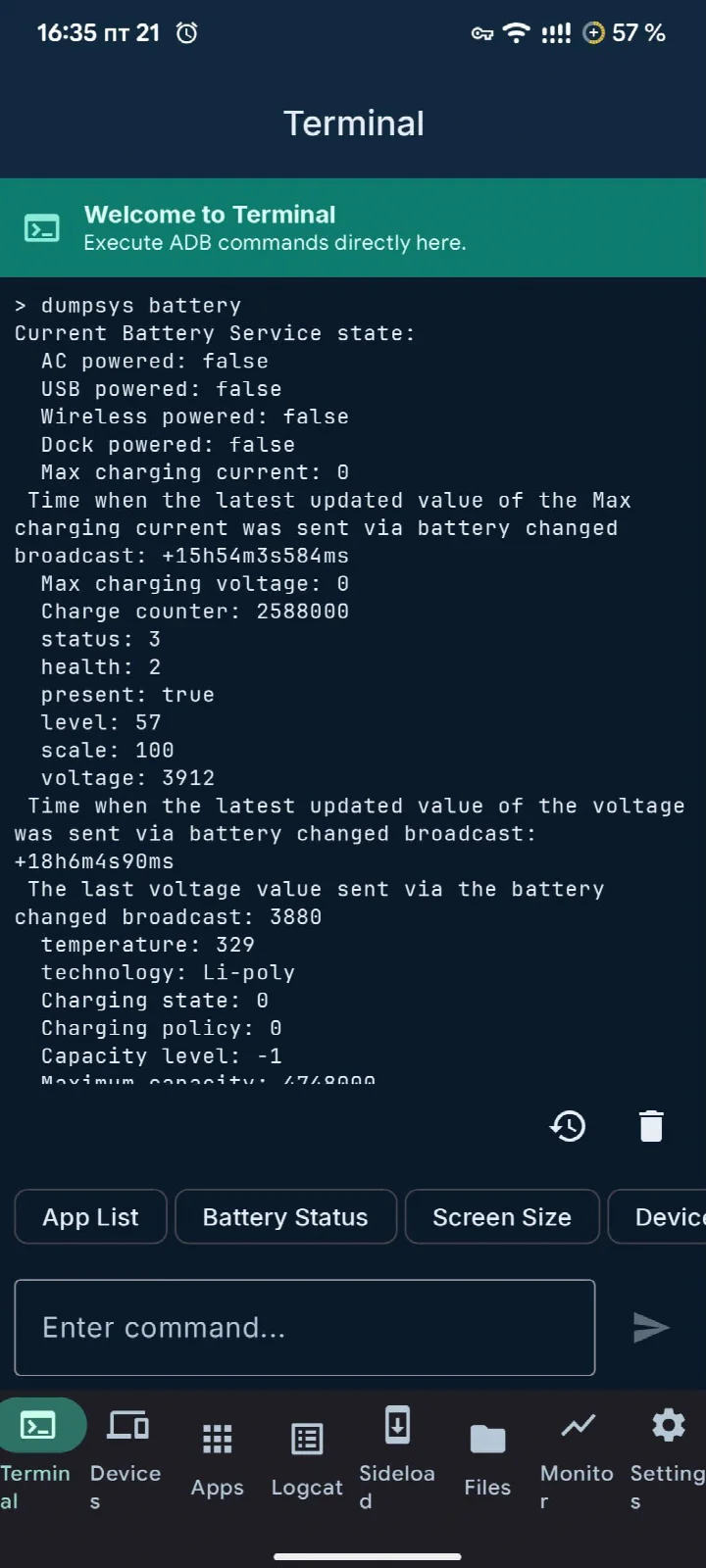
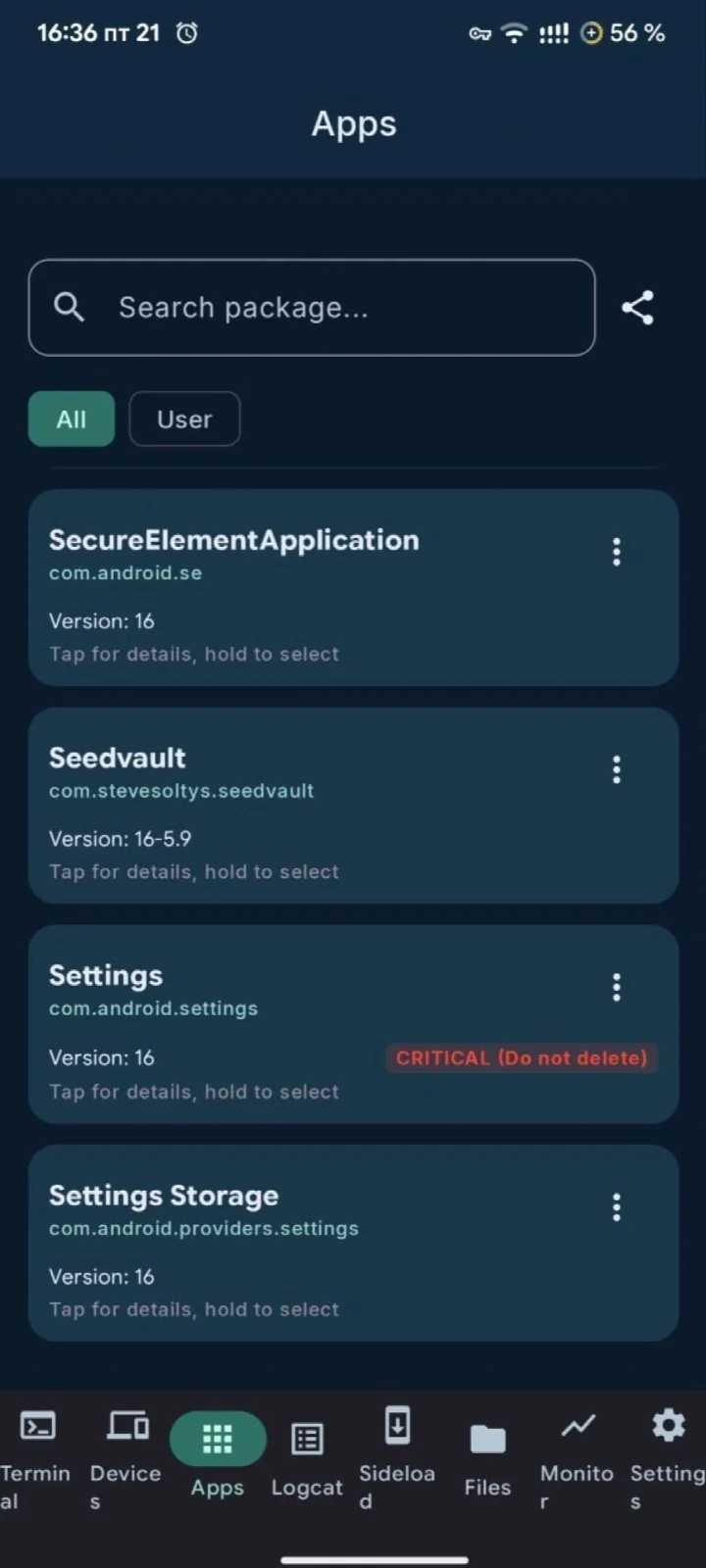
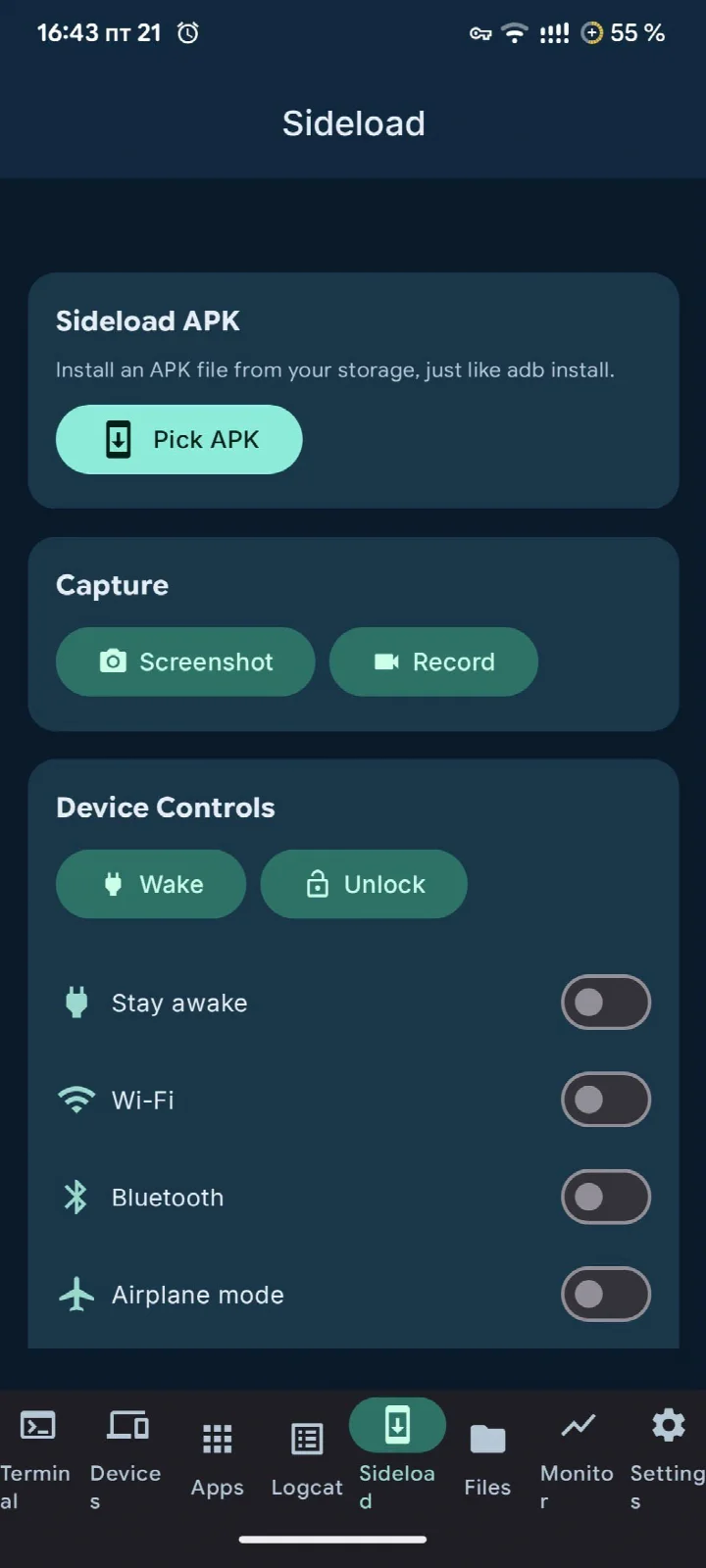
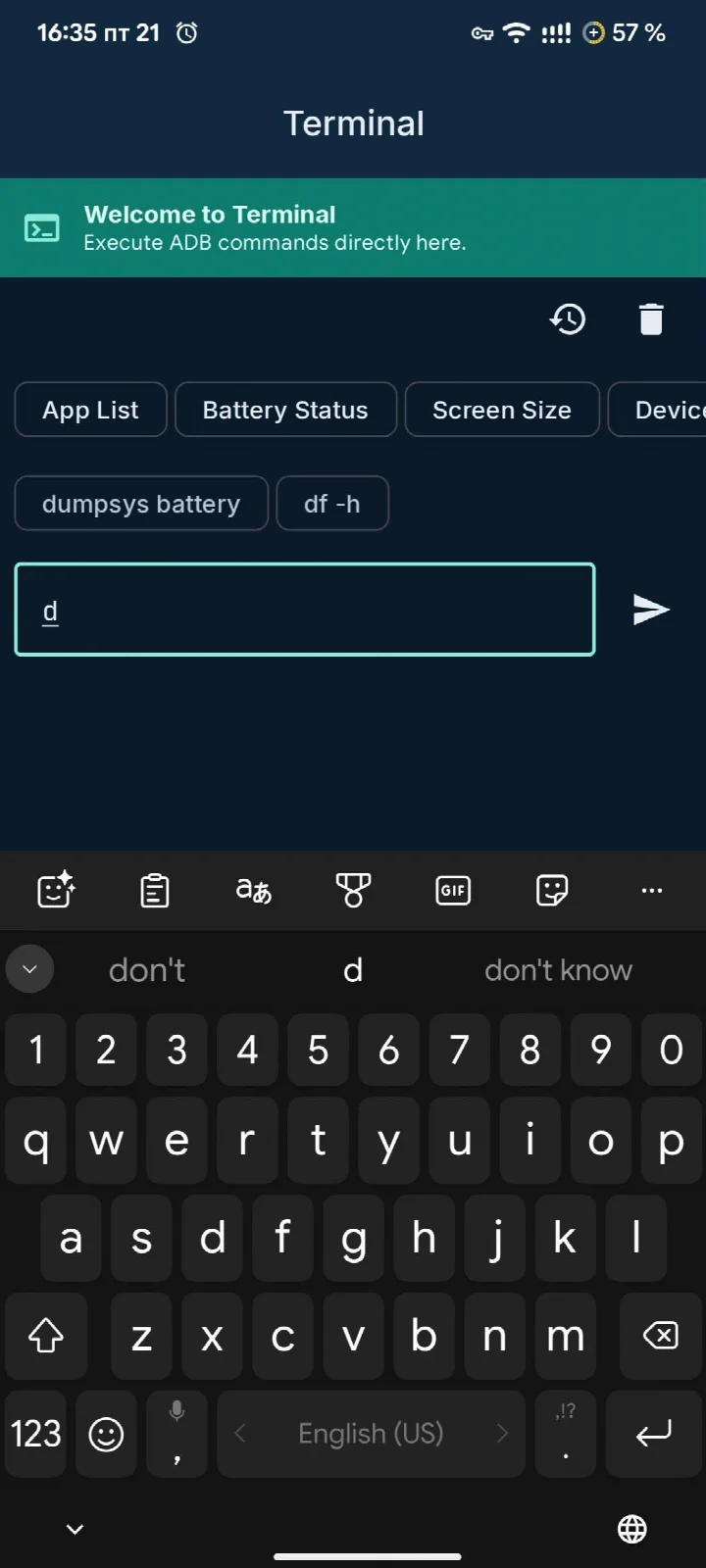
ADB Captain is a development utility by eatenlamp that lets you execute ADB shell commands directly on an Android device through Shizuku, without a computer or root access. The usual obstacle when working with ADB is that it requires a host machine, a USB connection or a paired wireless session, and a desktop terminal; this app removes that dependency by routing shell access through Shizuku, which grants the necessary privileges on the device itself. Version 1.6 was updated on 2026-10-22, the first release dates to 2026-09-20, the package is 28 MB, and it requires Android 7.0 or newer. The project is licensed under AGPL-3.0-or-later and is offered free of charge. It bundles a terminal, a debugging workspace, package inspection, process management, logcat, and wireless ADB controls into one interface.
Key features
- Terminal supporting commands such as pm, am, dumpsys, settings and input, with several simultaneous sessions, autocomplete drawn from command history, recency-grouped history and pinnable commands
- Debugging workspace with bug report ZIP export, timed sessions that buffer logs while you reproduce a crash, saved macros for command chains, and crash logs grouped per app with full stack traces
- App list separating user and system packages, each with a plain safety rating, plus an inspector for activities, services, receivers and providers and a manual intent launcher
- Process table showing PID, parent, user and memory, searchable, with force-stop available on any row
- Device information screen covering model, Android version, battery and connection status, with reboot and screenshot actions
- Wireless ADB pairing and connection over Wi-Fi with shell access, saved devices, one-tap reconnect and optional auto-reconnect
- Logcat with level and text filtering, front-app following, saving the visible output to a file and sharing it as Markdown
- Sideloading of APKs from storage and quick tools for screen recording, Wi-Fi, Bluetooth or airplane mode toggling, text entry and opening links
- Material 3 Expressive interface with light or dark theme, five accent palettes or system-driven Material You colors
How to install
- Tap the download button on this page to obtain the APK file.
- When Android prompts you, allow your browser or file manager to install apps by enabling the Install unknown apps setting for that app.
- Open the downloaded APK file; the package is 28 MB.
- Tap Install and wait for the process to finish.
- Open the app; it requires Android 7.0 or newer.
Pros
- Works without root and without a computer, using Shizuku for privileged shell access
- Broad toolset combining terminal, logcat, package inspection, process control and wireless ADB
- No ads, no analytics and no account required, per the project description
- Free to use and released under AGPL-3.0-or-later
- Material 3 Expressive design with light, dark and Material You theming options
Cons
- Depends on Shizuku being installed and running, so it is not usable as a standalone tool out of the box
- Targeted at users comfortable with ADB syntax and Android internals, which makes the learning curve steep
- Some actions such as disabling or removing packages and force-stopping processes can affect system stability if applied carelessly
Version history
| Version | Size | Requires Android | Updated |
|---|---|---|---|
| 1.6 | 28 MB | 7.0 | Oct 22, 2026 |
| 1.5 | 27 MB | 7.0 | Oct 8, 2026 |
| 1.4 | 16 MB | 7.0 | Oct 1, 2026 |
| 1.2 | 15 MB | 7.0 | Sep 20, 2026 |
This app suits Android developers, power users and testers who already understand ADB and want to run shell commands, capture logs, inspect installed packages or manage processes while away from a desktop. It is also relevant for anyone doing wireless debugging on a second device, provided Shizuku is set up and the user is comfortable with command-line work rather than a purely graphical workflow.
Set up Shizuku before first use, since every privileged function depends on it. Pin frequently used commands and save macros for repetitive chains, and rely on the safety ratings in the app list before disabling or removing any package. When reporting a crash, the timed session and Markdown log export keep the evidence in a shareable form.
FAQ
Is ADB Captain free to use?
Yes, ADB Captain is free. It contains no ads, no analytics, and requires no account.
Which Android version do I need to run ADB Captain?
ADB Captain requires Android 7.0 or higher.
How large is the APK file?
The APK file size is 28 MB.
What permissions does ADB Captain request?
The app requests the permissions needed to execute ADB shell commands, manage wireless debugging, and access device information. It does not require root access and works through Shizuku.
How do I update ADB Captain?
To update, simply download the latest version from this page. The most recent release is version 1.6, updated on 2026-10-22.
ADB Captain consolidates the common ADB tasks into a single on-device interface backed by Shizuku, with a scope that covers terminal work, logging, package inspection and wireless connections. It is a practical choice for users who know what they are doing with shell commands, and it stays free, ad-free and open source under AGPL-3.0-or-later.
Similar apps



Updated: Oct 24, 2026