
Samsung Gallery: Photo and Video Viewer
Samsung Gallery is a photography app by Samsung Electronics Co., Ltd. that lets you view, manage and edit images and videos.
Download Samsung Gallery · v15.7.02.0Samsung Gallery is distributed as a free app and is built for viewing, organizing and editing pictures and videos. It requires Android 11 or later, and the download is about 51 MB. The app lists more than 1 billion installs and holds a rating of 3.81 from 384 ratings.
- Version
- 15.7.02.0
- Size
- 51 MB
- Requires Android
- 11
- Updated
- Apr 15, 2026
- Installs
- 1B+
- Rating
- ★ 3.81 (384)
- Category
- Photography
- Developer
- Samsung Electronics Co., Ltd.
- Content rating
- Everyone
- Package
- com.sec.android.gallery3d
- Free
- ✓
App screenshots
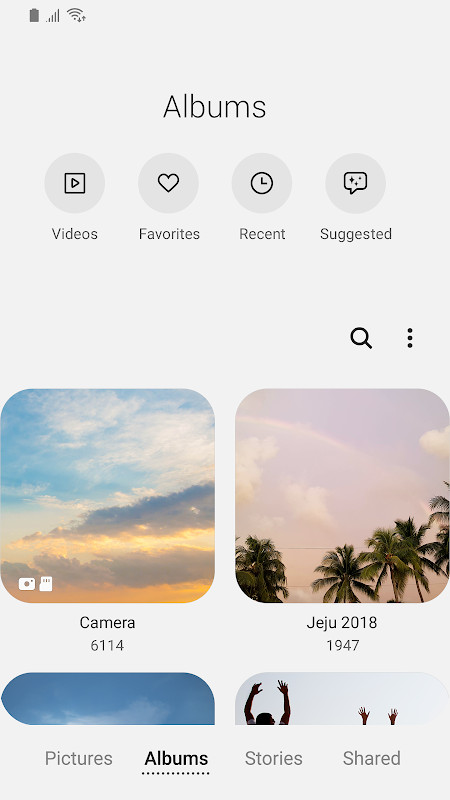
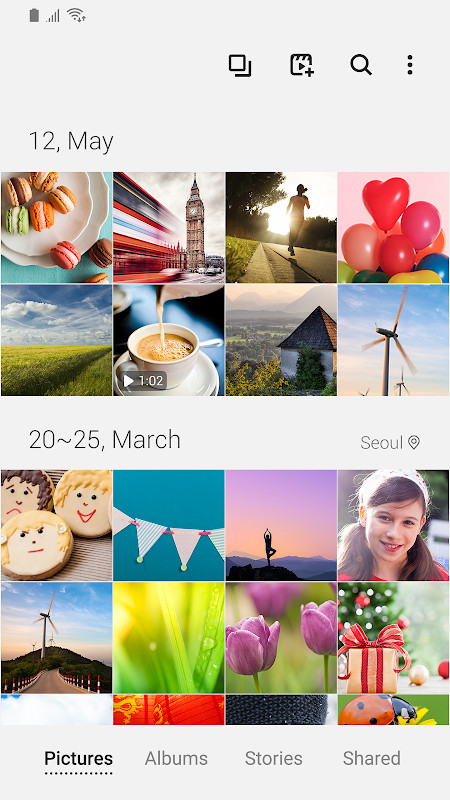
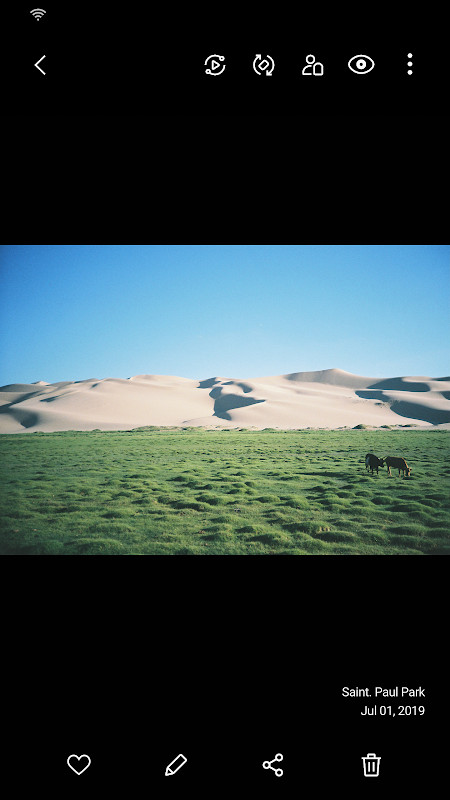
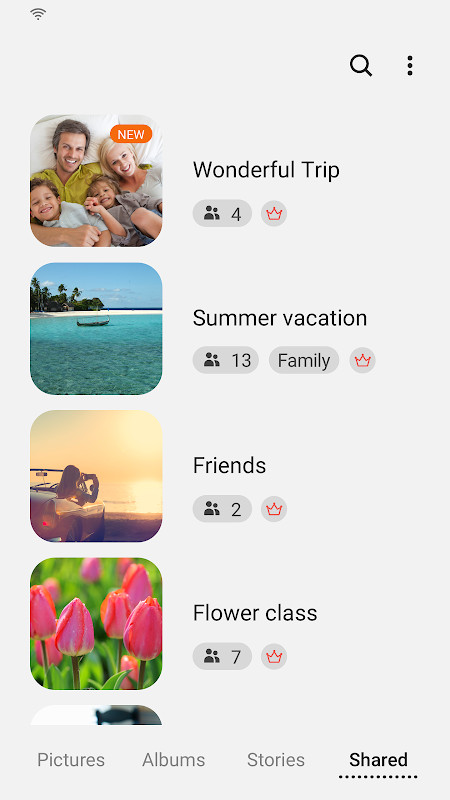
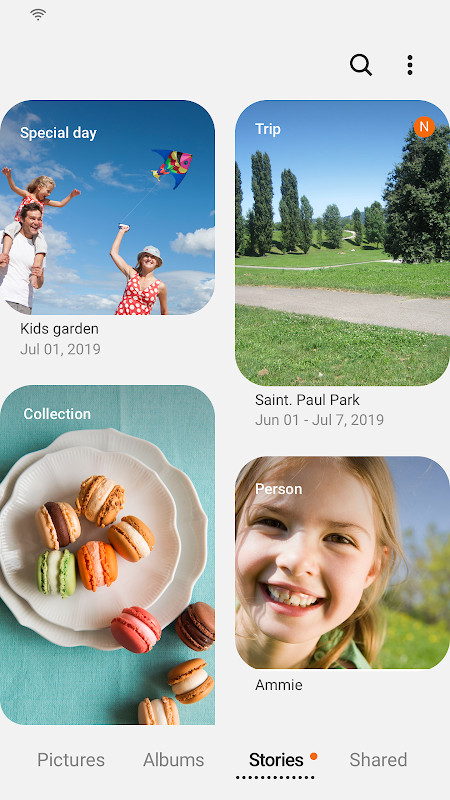
Samsung Gallery is a media viewing and management application by Samsung Electronics Co., Ltd. that lets Galaxy owners browse, organize, edit, and safeguard their pictures and videos. It ships as the default image viewer on Galaxy devices, so for many users it is less a choice than a starting point — but it has evolved into a fairly capable photo hub that goes well beyond simple playback. Beyond straightforward viewing, it handles cloud sync tied to your account, name tags via contacts, and location data when you edit where a shot was taken. Storage permission is mandatory for saving, loading, editing, and deleting media, while telephone, contacts, and location access are optional and only feed specific features such as cloud identification, People tags, and location editing. Keep in mind that some capabilities vary by country and by device model.
Version 15.7.02.0, dated 2026-04-15, brings a mix of housekeeping and small conveniences. The story sharing service has been discontinued, and any stories that were shared will be removed — stories you never shared stay put. Story cover images can now be edited, the detail view supports a swipe-up gesture to reveal more information, and a long press on the app icon opens the search menu directly. The listing shows a 3.81 rating from 384 ratings and roughly a billion installs, which says more about it being preinstalled than about user enthusiasm. It requires Android 11 or newer and the package is about 51 MB. It is free and rated for Everyone. The release date is listed as 2025-12-03, so this is a mature, actively maintained build rather than a new arrival.
Key features
- View and manage photos and videos stored on the device
- Cloud sync when signed in with the same account
- Name tags for people using contact information
- Location data editing for individual media items
- Editable story cover images
- Swipe up on the detail view to see additional information
- Search menu accessible by long pressing the app icon
- Optional permissions for telephone, contacts, and location, each tied to a specific function
How to install
- Tap the download button on this page to get the APK file, which is about 51 MB.
- When Android prompts you, allow your browser or file manager to install apps by enabling the Install unknown apps setting for that app.
- Open the downloaded APK file from your notifications or file manager.
- Tap Install and wait for the package to finish copying.
- Open the app once installation completes. Your device must run Android 11 or newer.
Pros
- Deep integration with Galaxy hardware and the system account
- Handles both images and video in a single library
- Storage, telephone, contacts, and location permissions are clearly separated into required and optional groups
- Free with no purchase required
- Recent updates continue to add small workflow improvements
Cons
- Some features are unavailable depending on country and device
- The story sharing service has been terminated, so shared stories are removed
- Rating sits at 3.81 from 384 ratings, which is modest
- The permission list is long and includes several entries most users will not recognize
Latest changes · 15.7.02.0
Version 15.7.02.0 brings a few notable updates. The Story sharing service has been discontinued, so all previously shared stories will be removed, while unshared stories remain intact. You can now edit story cover images, view details by swiping up on the detail screen, and quickly open the Search menu by touching and holding the Gallery app icon.
Version history
| Version | Size | Requires Android | Updated |
|---|---|---|---|
| 15.1.00.900 | 35 MB | 9 | May 1, 2026 |
| 15.7.02.0 | 51 MB | 11 | Apr 15, 2026 |
| 15.7.01.0 | 51 MB | 11 | Mar 27, 2026 |
| 15.6.04.2 | 49 MB | 11 | Jun 21, 2025 |
| 10.0.00.16 | 11 MB | 7.0 | Nov 3, 2018 |
Galaxy owners who want a viewer already tuned to their hardware, people who rely on cloud sync across signed-in devices, and users who tag faces or edit location metadata and prefer doing it in one place.
If you use People tags, grant contacts access when asked — without it, the app cannot pull names to match against your tagged faces, and you will end up labeling people manually.
Permissions
FAQ
What is the latest version of Samsung Gallery and when was it updated?
The most recent release is version 15.7.02.0, dated April 15, 2026. Earlier builds in the version history include 15.1.00.900 from May 1, 2026, 15.7.01.0 from March 27, 2026, and 15.6.04.2 from June 21, 2025.
How large is the Samsung Gallery download and what minimum OS version does it need?
The app package is about 51 MB, and it requires Android 11 or newer to run.
What changed in the update that removed the Story sharing service?
With Story sharing discontinued, all stories that were shared are removed, while stories that were not shared remain in place. The same update also adds cover image editing for stories, lets you swipe up on the detail view screen to see details, and lets you open the Search menu by touching and holding the app icon.
What is the storage permission used for in Samsung Gallery?
Storage is a required permission and is needed to save, load, edit and delete pictures and videos.
Which optional permissions does Samsung Gallery request and why?
Telephone access is used to check device-unique identification information for Samsung Cloud, Contacts access is used to pull contact details when adding name tags to People, and Location access is used to supply current location data when editing location information. These optional permissions are off by default, though the related service functions remain enabled.
How widely used is Samsung Gallery and how is it rated?
It has been installed more than a billion times and holds an average rating of 3.81 based on 384 ratings. It is categorized under Photography, is free to use, and carries an Everyone content rating.
For a preinstalled viewer it does more than most users expect, and the 15.7.02.0 update keeps it current. If you already live in the Galaxy ecosystem and lean on cloud sync, there is little reason to look elsewhere. If you want granular control over metadata or dislike broad permission sets, the trade-offs are worth weighing before you commit.
Similar apps



More from this developer


Updated: Oct 24, 2026